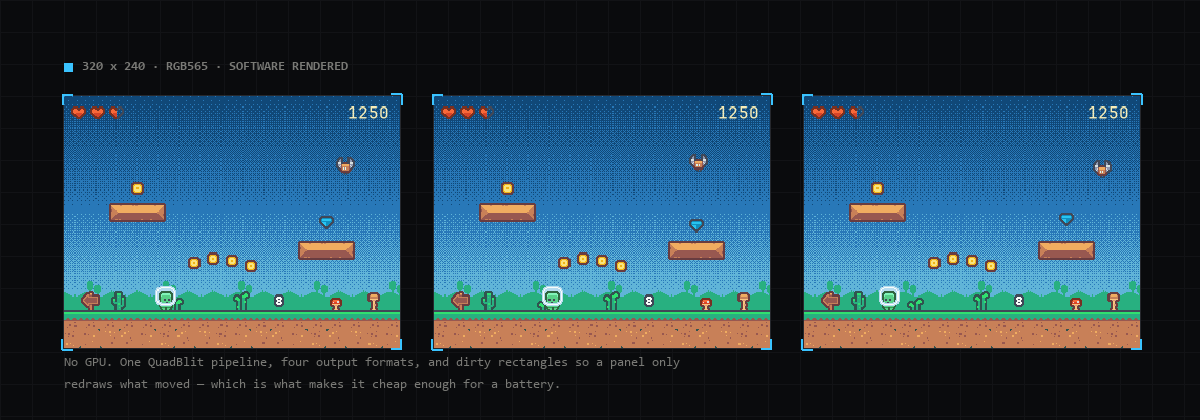
Deki draws everything in software: no GPU, just the CPU filling a framebuffer and a bus carrying it to the panel. On an ESP32-S3 with PSRAM and a 320 by 240 SPI display, the demo first ran at 16 frames a second. Nothing on screen asks for that: a background, some sprites, text and a few particles. Every scene now runs at 60 to 63. This is what was in the way.
Measure on the device
A desktop profile says little about a microcontroller, so the first change was a way to ask the board itself. The firmware now answers a few requests over its USB serial line: frames per second with the update, render and send time of an average frame; render time per component type; and “open this scene”, so a script can go through every scene and measure it. (The editor uses the same requests, see screenshots and stats from the board.) Every number below came from there.
The compiler was building for a debugger
ESP-IDF builds at -Og by default, optimised for debugging. Per-pixel C++ is
exactly the code that leaves slowest, and Deki’s device builds now use -O2.
A function call per pixel
Pixels were read with memcpy(&v, p, 2), the portable way to load two bytes
that may not be aligned. On x86 that is one instruction. On the S3’s Xtensa
core, which has no unaligned loads, GCC made it a call to memcpy, once for
every pixel of every sprite. Reading the two bytes and shifting them together
made blitting six times faster.
Tinting without the arithmetic
A tinted sprite, a coloured UI panel for instance, went through the general pipeline: unpack, multiply each channel, divide, blend, pack, per pixel. But an RGB565 image only has 32 reds, 64 greens and 32 blues, so the tint is now worked out once per draw as lookup tables, and an opaque pixel is three lookups. A test checks that every pixel comes out the same as before.
Better still is not tinting at all. A 9-slice panel is already stretched into a cached image, so the tint is now baked into that image as well, and redone only when the tint changes. Screens built mostly of panels went from 55 to about 62 fps.
31 ms to send a frame
A 320 by 240 frame is 150 KB. At the 40 MHz SPI clock the display started on, sending it took 31 ms, nearly two whole frames at 60 fps. The panel takes 80 MHz, and that halved it.
That still left drawing and sending one after the other, with the S3’s second core idle. Now the finished frame goes into one of two buffers in PSRAM and the other core sends it while the next one is drawn:
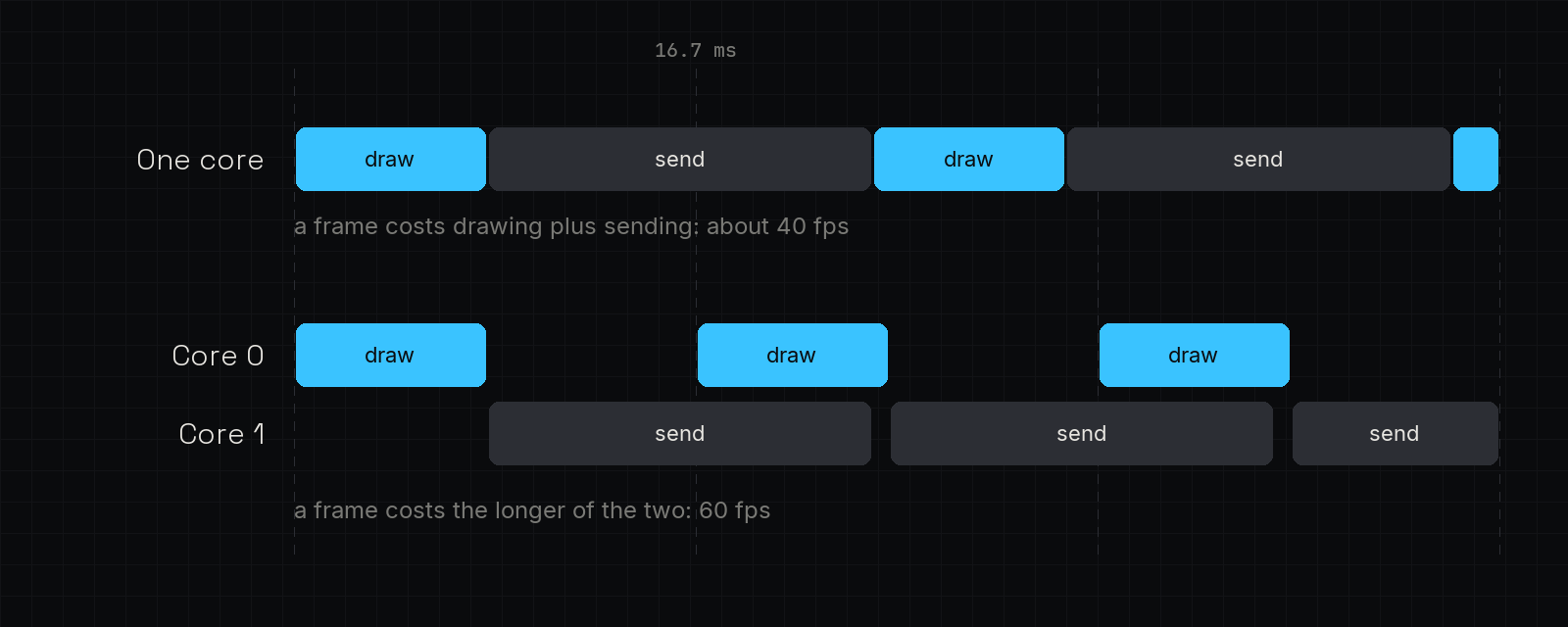
A board turns it on with one setting on its display.
Smaller wins, and one that wasn’t
- Cache lines. The framebuffer lives in PSRAM, and the S3’s data cache handles it better with 64-byte lines. A bigger cache was faster still, but it costs internal RAM, and a sprite-heavy scene ran out and crashed.
- Particles. Each particle went through the general pipeline on its way into the emitter’s image. A loop for that case took two fountains from 3.6 to 2.4 ms a frame.
- Dirty rectangles did nothing: every scene has a full-screen background that changes, so the whole screen was always dirty. They stay for scenes that are mostly still.
Where it ended
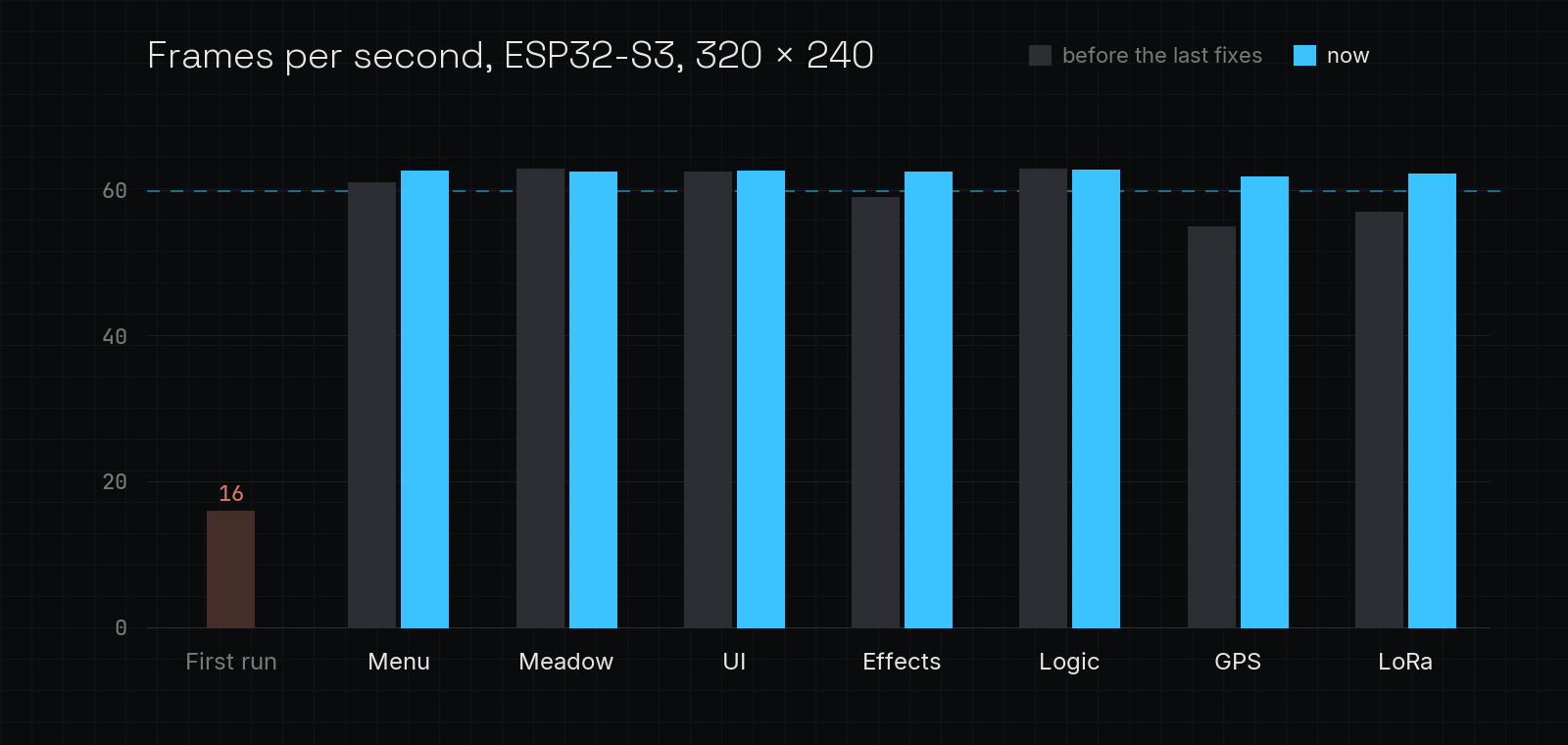
The grey bars are the last measurement before the tint baking and the particle loop, with the other fixes already in. The test board was a LilyGO T-Deck Plus, but nothing here is specific to it: any S3 with PSRAM and an SPI panel driven through LovyanGFX gets the same paths.