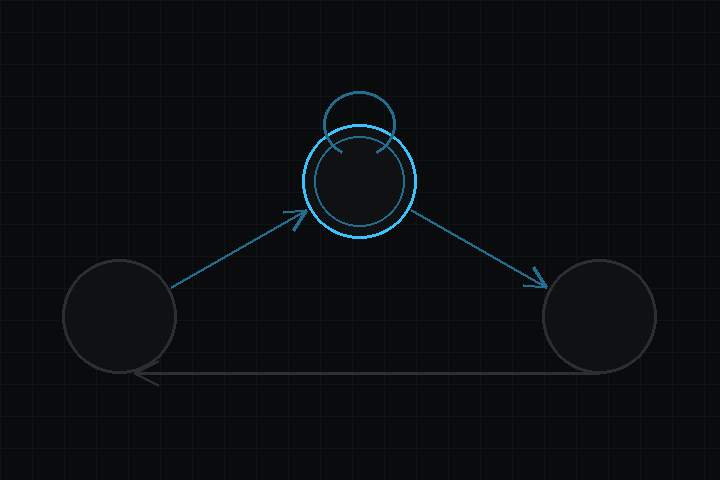
What it does
Put an FsmComponent on an object and assign it a state machine asset, authored
in the editor’s Node Graph window. Nothing runs from a hidden list: if it runs,
it is a node on some canvas.
Two levels of canvas
A graph is a tree of canvases, and you move between them by double-clicking a node. The breadcrumb above the canvas walks back out.
- The root is the flow. Awake, Start and Update entries, states, groups, and the transition wires between them.
- Inside a state is its action flow, where the actions are nodes wired one to the next.
- Inside a group are more states, exactly like the root.
States and transitions
Each track has exactly one active state. Transitions are wires labeled with
event names, one output pin per entry in the state’s transition list. FINISHED
fires by itself when a state’s action flow runs off its end. Other events come
from the Send Event action or from game code. A state with no transitions is
terminal, and the track parks there.
Action flows
Every action has one input and one or more output pins. When an action finishes it reports which pin it finished on, and control moves to whatever that pin is wired to. A run of instant actions completes in a single frame.
Branching is pins, not events: Compare Property has a true pin and a false
pin, and you wire each somewhere different. Flows may loop, and re-entering an
action resets it as if it were entered for the first time. A loop with nothing
time-consuming in it trips a guard at 256 steps in one frame.
An action that never finishes parks the flow on itself, which is how a per-frame watcher is written.
Targets, not bespoke verbs
Set Property, Compare Property and Tween Property all address their target the same way, as three dropdowns in the inspector: object, then component, then field. There is no typing of class names, so an invalid reference cannot be authored, and the value editor below becomes typed to whatever you picked.
A reference can point at any exported field on any object, at the object’s own transform, or at a graph variable. So moving an object is Tween Property on the transform rather than a dedicated Move To action, and hiding it is Set Property on Active.
Each reference resolves once, when the action starts. The per-frame path is a store or a compare through a cached pointer, and nothing touches a string while a state is running. That is what keeps the action set cheap enough for an ESP32-S3.
Variables
One permanent Variables node at the root holds the graph’s variables as a child stack: Number, Bool or Text, each with a name and an initial value. They are reachable from every state and every group, and each component gets its own live copy, so two objects running the same graph never share state.
Because variables are addressed by the same reference as everything else, there are no variable-specific actions. A score counter is Modify Property on a variable, and testing it is Compare Property on the same one.
Actions
| Action | What it does | Pins out |
|---|---|---|
| Wait | Pause for N seconds. | done |
| Send Event | Raise an event on this machine, optionally after a delay. | done |
| Send Event To | Raise an event on another object’s machine. | done |
| Set Property | Write a value to any field, transform value or variable. | done |
| Modify Property | Add, subtract, multiply, divide, min or max on a numeric target. | done |
| Random Property | Write a random number into a numeric target. | done |
| Compare Property | The if of the graph. waitUntilTrue turns it into a gate. |
true, false |
| Tween Property | Ease a float or Vector2 target to a value over time. | done |
| Spawn Scene | Instantiate a scene at a position. | done |
| Destroy Object | Remove an object and its children. | done |
| Set Parent | Reparent an object. | done |
| Play Animation | Play a sequence, optionally waiting for it to finish. | done |
| Watch Button | Park until the button is clicked. | clicked |
| Log | Write a line to the console. | done |
Audio and physics are not covered. The audio package exposes raw PCM with no sound asset to point an action at, and there is no physics package yet.
Adding your own actions
Declare a node struct in the Fsm/Actions category, give it an input and one
output label per outcome, and register its runtime operations. An action reports
that it is still running, or the index of the pin it finished on.
A broken graph logs one error and stops that machine. There are no fallbacks.