Mgameplay

deki-tween

Tweening with 30+ easing functions. Use TweenComponent in the inspector or TweenManager in code.

What it does

deki-tween animates any numeric property over time with a chosen easing curve. The package exposes two surfaces: a TweenComponent you configure in the inspector, and a TweenManager for programmatic control from C++.

Easing functions

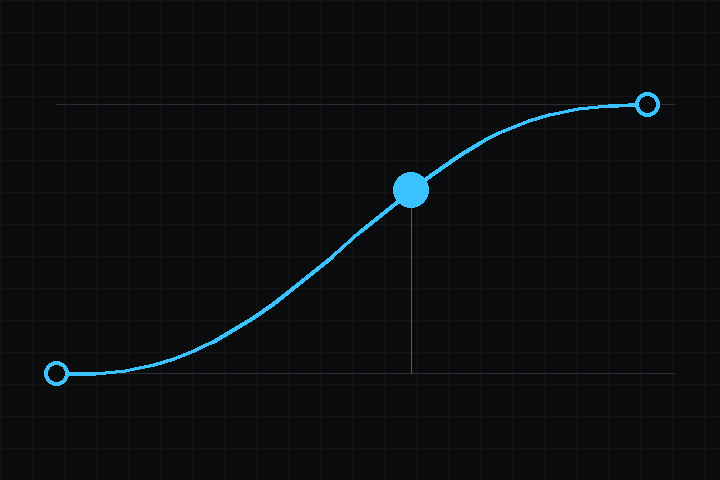
30+ named easings, each in In, Out, and InOut variants where applicable:

  • Linear
  • SineSineIn, SineOut, SineInOut
  • Quad / Cubic / Quart / Quint – standard polynomial families
  • ExpoExpoIn, ExpoOut, ExpoInOut
  • CircCircIn, CircOut, CircInOut
  • Back – overshoot at the end
  • Elastic – spring oscillation
  • Bounce – discrete-bounce decay

Example

Inspector-driven (drop a TweenComponent on an object, set fields):

auto* tween = obj->AddComponent<TweenComponent>();
tween->targetType = TweenTargetType::Position;
tween->endValue = Deki::Vector3(100.0f, 0.0f, 0.0f);
tween->duration = 1.0f;
tween->easeType = Deki::EaseType::QuadOut;
tween->Play();

targetType picks what moves: Position, Scale or Rotation, which reads the Z component. loops, pingPong, delay and relative are exported too, so a designer can set all of it without code.

Code-driven, with a completion callback:

TweenManager::To(&object->x, 100.0f, 1.0f)
    .SetEase(EaseType::BackOut)
    .OnComplete([]() { /* done */ });

To and FromTo are overloaded for float, int32_t, Vector2 and Color, and each returns the tween so Delay, SetLoops, SetPingPong, OnUpdate and OnComplete chain off it. DelayedCall runs a callback with no target.